Markdown vs HTML: When to Use Each
Both formats structure text, but they serve different audiences and purposes.
Markdown Advantages
- Easy to read in raw form
- Fast to write — no closing tags
- Universal — supported by GitHub, Reddit, Notion, and hundreds of tools
- Focus on content — minimal formatting distractions
HTML Advantages
- Full control — every element is customizable
- Browser-native — renders directly in web pages
- Rich features — forms, tables, multimedia
- Styling — inline CSS and class attributes
Converting Markdown to HTML
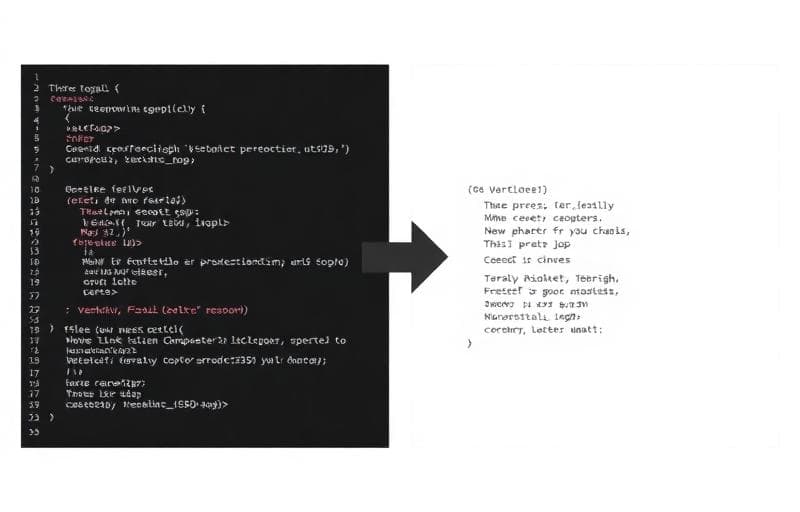
The Markdown to HTML tool converts your Markdown instantly:
## My Heading
This is a paragraph with bold and italic text.
- Item one
- Item two
Becomes:
<h2>My Heading</h2>
<p>This is a paragraph with <strong>bold</strong> and <em>italic</em> text.</p>
<ul>
  <li>Item one</li>
  <li>Item two</li>
</ul>
Converting HTML to Markdown
The HTML to Markdown tool reverses the process — perfect when you need to:
- Migrate blog posts from WordPress to a Markdown-based CMS
- Convert email templates to documentation
- Simplify rich HTML content for README files
Common Use Cases
| Scenario | Convert To | Why |
|---|---|---|
| Blog post for Jekyll/Hugo | Markdown | Static site generators use MD |
| Email newsletter | HTML | Email clients need HTML |
| GitHub README | Markdown | GitHub renders MD natively |
| CMS content | HTML | Most CMS editors accept HTML |
| Documentation | Markdown | Docs-as-code workflows |
- Use Markdown for content creation and convert to HTML for distribution
- Keep a Markdown source file as your "single source of truth"
- Use Text Diff Checker to compare converted output with expected results
markdown
html
conversion
writing
blogging